


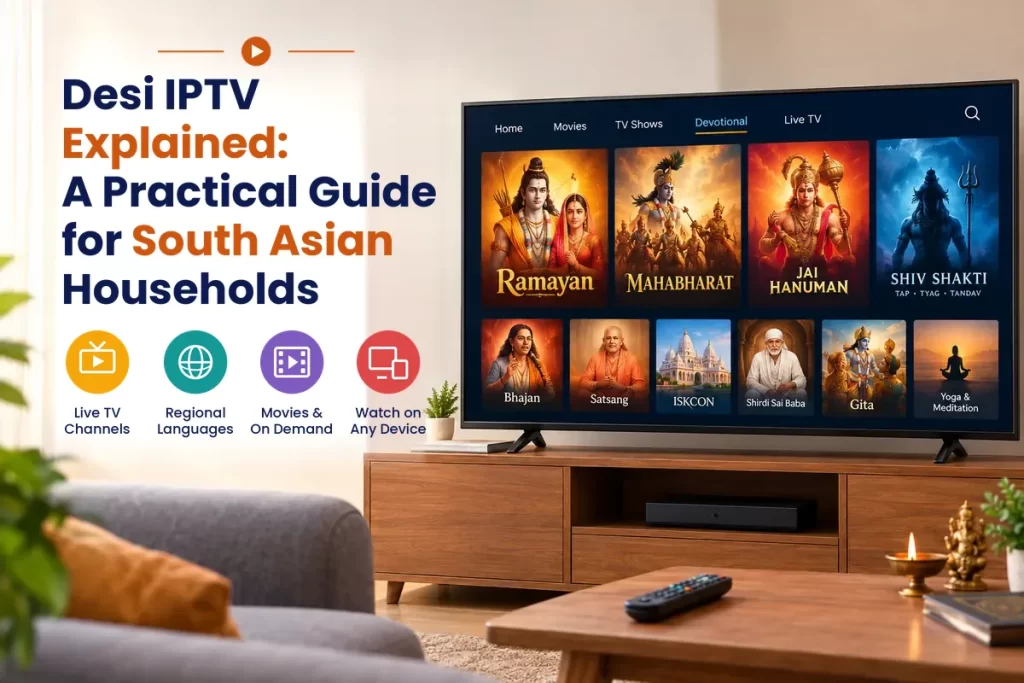
Desi IPTV Explained: A Practical Guide for South Asian Households
Many Indian families reside away from their homes and thus miss their beloved programs and songs. Desi IPTV provides this content to such families through the internet. There is no need for a dish or cable box here. This blog tells you about its working, what needs to be checked before making payment and choosing the right service provider.
What Is Desi IPTV?
Desi IPTV involves viewing live television channels, movies and videos from South Asia through your broadband connection. It is delivered to you in digital form. There is no requirement for a dish or long-term contracts. You only need a decoder box and Internet connection to begin.
How the Technology Delivers Content
Providers receive the broadcasts and store them on their servers. Once you start playing, the server transmits the broadcast to your computer through the internet. The internet connection speed determines the quality of the picture. Weather and antenna position do not play any role.
Devices That Work Well
Almost all modern screens are capable of doing that. The list includes:
- Smart televisions: Simply install the app on the television screen.
- Streaming sticks: Connect one to the HDMI port and connect to Wi-Fi.
- Android boxes: Perfect choice for the television in the living room.
- Mobile phones and tablets: Useful when watching from another place.
Why South Asian Families Choose It
Language takes priority. One can watch channels being broadcasted in Hindi, Punjabi, Tamil, Telugu, Gujarati, Bengali and various other languages through one app itself. Flexibility comes next in order. One can watch at any time, pause when one’s doorbell rings and resume watching after a while without recording anything.
Affordability does contribute. One subscription fee for the month will probably suffice for the entire household and costs less than paying for multiple cable subscriptions. Older people get to relive their favorite dramas, while younger ones get to catch up on their music and movies.
Desi IPTV vs Traditional Cable
| Feature | Internet Television | Traditional Cable |
|---|---|---|
| Equipment | Smart screen or small box | Set-top box and wiring |
| Regional content | Wide South Asian range | Limited local selection |
| Contract | Flexible monthly terms | Long fixed commitment |
| Viewing time | Anytime, with pause and replay | Fixed schedule |
| Portability | Works on phones and tablets | Tied to one room |
Choosing a Reliable Provider
Each seller provides different experience levels. You won’t regret spending some time in research before making the purchase. Consider the following factors.
- Stream quality: Does the stream stay smooth during busy weekday evenings?
- Content selection: Your own languages and genres should be included.
- Picture quality: The HD and 4K versions should both be considered.
- Customer service: Make sure that the company is responsive via chat and email.
- Price clarity: Avoid sellers who try to hide fees and renewal costs.
Why an IPTV Free Trial Matters
A brief test will enable you to evaluate the service before subscribing to it. Test out the IPTV Free Trial to determine the service’s buffering, channel loading and sound quality on your computer and network. The tests should be conducted at various times of the day, especially during evenings.
Understanding Plans and Pricing
Plans last from one to three months, up to six months or even a year. The longer the period, the cheaper the monthly rate. However, it will be best to opt for a plan lasting for a shorter period since you have not yet gotten used to it.
An IPTV Subscription should include information on what will take place when it is time for renewal. Honest service providers use clear language and are responsive about billing matters.
Setting Up Your First Stream
This is a simple procedure that should take not more than 15 minutes. Below is the order:
- Make sure you are Wi-Fi connected or connect via Ethernet cable connection.
- Download the application suggested by the service provider.
- Enter the credentials received at your email address.
- Select your choice of language and open the manual.
- Test a couple of programs before commencing with regular viewing.
Tips for Smooth IPTV Playback
- Connection Speed: The recommended speed for HD streaming is 10 Mbps, while 4K streaming requires 25 Mbps.
- Router Placement: Place the router next to the TV set or use hardwiring whenever possible.
- Downloads: Stop all large downloads during viewing time.
- Number of screens: The fewer screens streaming at once, the better it will be.
- Restart the router weekly: Since restarting often fixes minor issues.
Who Benefits Most from This Option
Indian IPTV will be good for people looking for regional language programs, spiritual programming and coverage of various festivals. It is good for students who live abroad and want to keep in touch with their culture. Older people will appreciate the familiar faces as well as the easy-to-use menu that a good app provides.
In addition, an IPTV service targeted at the South Asian audience will also feature a catch-up program library. Those with busy lives can watch the shows in their own time.
Common Mistakes to Avoid
- Buying an extended plan without trial.
- Not considering the number of screens covered.
- Dependence on poor Wi-Fi connection away from the router.
- Going for prices which are suspiciously low.
- Ignoring the terms and conditions of warranty.
Final Thoughts
Desi IPTV provides Indian families with constant access to their native language, music and customs. With an honest provider, proper planning and good internet connection, it will give you equal or even better results than the cable TV. Start with a trial package and find the right package that suits your family. It requires just a little effort now for many easy years ahead.
Frequently Asked Questions
1. Does desi IPTV work without a cable box?
Yes. The programmes are available through the internet and hence no dish or wiring is required at all. Programmes both live and recorded are streamed to an application in your smart screen, box or phone.
2. What internet speed is needed for streaming?
10 Mbps will do well for HD and 25 Mbps is the suggested rate for 4K. In cases where there are several screens being used, the allocation of bandwidth to each screen needs to be increased.
3. Can I watch on more than one device?
Yes, but the limit varies according to your plan. Providers usually have limits regarding the number of devices that can stream simultaneously. This is because you would need a plan with additional connections for a larger family.
4. Is it legal to use internet television services?
This will depend on whether the company owns the necessary rights to its content. Choose those companies that are transparent about themselves and provide terms. Beware of extremely low price providers since they don’t have the required authorization.
5. How can I test a provider before paying?
Request a trial period and test it on your own device. Check the speed of the loading process, quality of images and sound during the evening time and response rate of the customer support team.
6. Why does my stream keep buffering?
Slow Internet connection, poor quality of WiFi signal or excessive use of the Internet can cause it. Try moving nearer to the router, connecting through a cable and stopping other Internet downloads while restarting the router.