


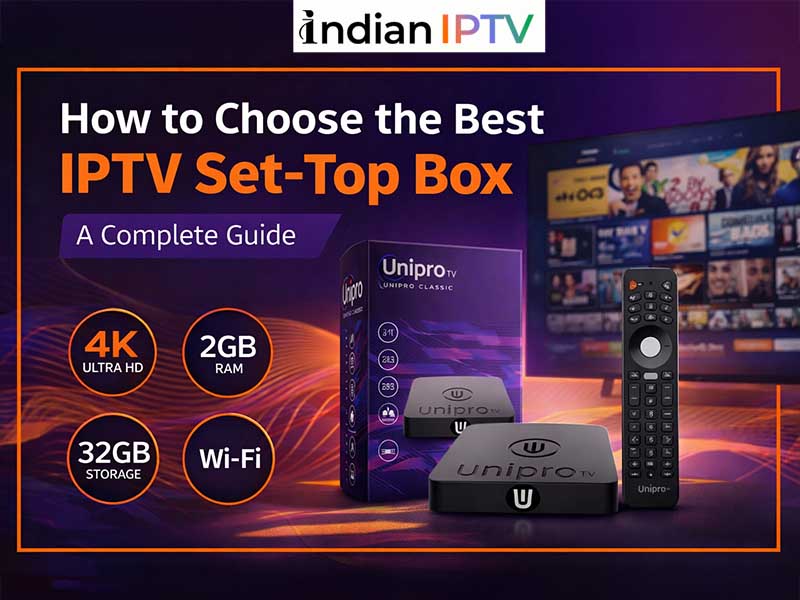
How to Choose the Best IPTV Set-Top Box: A Complete Guide
In today’s digital world, cord-cutting has become a popular trend, and streaming services have taken over traditional cable TV. If you’re looking for a superior entertainment experience, investing in the best IPTV set-top box can make all the difference. With an IPTV box, you can access hundreds of live TV channels, on-demand content, and regional programming, all in one place.
Whether you want to watch international channels, sports, movies, or Indian IPTV, this buyer’s guide will help you make the right choice. We’ll also cover everything from IPTV subscriptions and apps to trending features you should look for.
What is an IPTV Set-Top Box?
An IPTV Set-Top box is a compact device that connects to your television and streams content over the internet. Unlike traditional cable or satellite TV, IPTV delivers live TV channels, movies, and shows directly via your internet connection. The device usually comes preloaded with an IPTV app that manages your subscriptions, channels, and on-demand content.
Some key benefits of using an IPTV Set-Top box include:
- Access to hundreds of channels worldwide, including Indian IPTV.
- HD and 4K streaming support.
- Easy setup with plug-and-play functionality.
- Compatibility with mobile apps and smart TVs.
Why Investing in the Best IPTV Set-Top Box Matters
Choosing the best IPTV set-top box ensures a seamless streaming experience without buffering or interruptions. A high-quality device supports multiple resolutions, has a fast processor, and allows easy navigation through apps.
For Indian IPTV lovers, the right device also guarantees access to regional channels, sports, movies, and entertainment apps. Moreover, with the right Indian IPTV subscription, you can unlock features like catch-up TV, multi-screen streaming, and parental controls.
Key Features to Look for in an IPTV Box
When shopping for an IPTV box, consider the following features:
- High-Definition & 4K Streaming – Look for devices that support HD, Full HD, or 4K Ultra HD. This ensures clear and crisp visuals for movies, sports, and live channels.
- Processor & RAM – A faster processor and sufficient RAM improve the performance of your IPTV app, making navigation smooth and responsive.
- Storage Options – Some boxes come with internal storage to save apps, shows, or recorded content.
- Connectivity – Ethernet ports, Wi-Fi, HDMI, and USB support make the device versatile for all setups.
- Compatibility with IPTV Apps – Check if the device supports popular IPTV apps and services.
- User Interface & Remote – A clean, intuitive interface and responsive remote enhance the overall viewing experience.
Read also: Which IPTV Subscription Is Worth Buying in 2026?
Top Trending Features in 2026
- Voice Control & Smart Assistants – Use your voice to search channels or control playback.
- Multi-Screen Support – Stream multiple channels on different devices simultaneously.
- Cloud DVR & Catch-Up TV – Record your favorite shows and watch them later.
- Regional & Indian IPTV Channels – Access local language channels for an authentic entertainment experience.
- Parental Controls – Restrict content for children, ensuring safe viewing.
How to Choose the Right IPTV Subscription
A reliable IPTV subscription is crucial for uninterrupted streaming. Here’s what to consider:
- Number of Channels – Check if it includes your preferred international and Indian IPTV channels.
- Video Quality – Ensure the subscription supports HD and 4K streaming.
- Device Compatibility – Confirm that the subscription works with your Indian IPTV box and app.
- Customer Support – OPT for providers with responsive customer service for technical issues.
- Trial Period – Many providers offer a trial to test the service before committing.
Popular IPTV Apps to Consider
The IPTV app on your set-top box determines your viewing experience. Some trending apps in 2026 include:
- GSE Smart IPTV – Supports multiple formats and playlists.
- Perfect Player – Offers a clean interface and smooth navigation.
- IPTV Smarters – Popular for live TV and on-demand content, including Indian IPTV.
- TiviMate – Ideal for large channel lists and multi-screen functionality.
Choose an app that is user-friendly, reliable, and compatible with your IPTV subscription.
Pricing Table of Popular IPTV Set-Top Boxes
| Device | Resolution | Storage | Price (USD) | Key Feature |
| Roku Ultra | 4K UHD | 8GB | $99 | Voice control, streaming apps |
| Amazon Fire TV Cube | 4K UHD | 16GB | $119 | Alexa-enabled, multi-screen |
| Nvidia Shield TV | 4K UHD | 16GB | $149 | AI upscaling, gaming-ready |
| MAG 524 | 1080p/4K | 4GB | $129 | Dedicated IPTV support |
| Formuler Z8 Pro | 4K UHD | 16GB | $159 | Advanced IPTV features |
| Xiaomi Mi Box S | 4K UHD | 8GB | $69 | Affordable, Google Assistant |
Tips for Setting Up Your Indian IPTV Box
- Connect your Indian IPTV Box to your TV using HDMI.
- Ensure stable internet connectivity via Wi-Fi or Ethernet.
- Install your preferred IPTV app.
- Log in using your IPTV subscription credentials.
- Explore channels, create playlists, and enjoy streaming.
Conclusion:
Choosing the best IPTV set-top box can transform your entertainment experience. By considering features like HD/4K support, processor speed, storage, connectivity, and compatibility with IPTV apps and subscriptions, you can enjoy seamless viewing of movies, sports, and Indian IPTV channels. Pair it with a reliable IPTV subscription to unlock endless entertainment for you and your family.